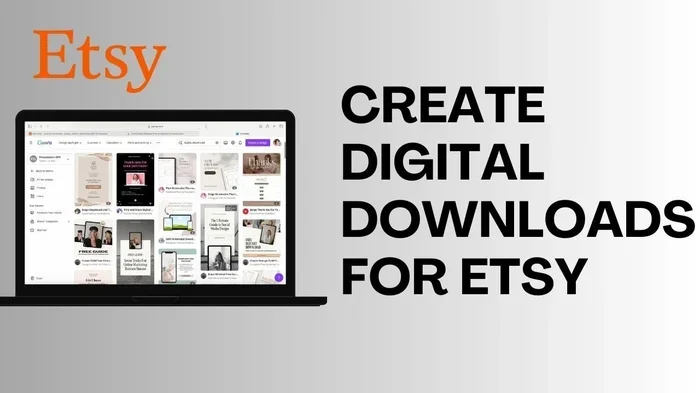
Creating digital downloads for Etsy is one of the fastest ways to start a passive income stream. This guide walks you through using AI tools to design, format, and list your products quickly. You will learn to avoid common mistakes and launch your shop with confidence.
Selling digital files online is a smart way to earn money while you sleep. Many people want to know how to create digital downloads for Etsy without spending days on design. You can launch a shop quickly if you follow a clear process. This tutorial shows you exactly how to create digital downloads for Etsy using smart tools and simple steps.
You will learn to pick a niche, make your files, and list them for sale. We will also cover how to use AI to speed up your work. By the end, you will have a ready-to-sell product in your shop. Let us dive into the process and get your first item listed.
Key Takeaways
- Point 1: Use AI tools to speed up design and content creation without sacrificing quality.
- Point 2: Choose the right file format like PDF or ZIP to ensure customer satisfaction.
- Point 3: Write clear titles and descriptions to improve search visibility on Etsy.
- Point 4: Set up automatic delivery so customers receive files instantly after purchase.
- Point 5: Test your download links before publishing to prevent customer complaints.
- Point 6: Price your digital products competitively based on market research.
- Point 7: Update your listings regularly to keep them fresh and relevant.
Quick Answers to Common Questions
What file format works best for printables?
PDF is usually the best choice for printables because it keeps the layout stable on most devices.
How many images should I upload per listing?
Use at least four images so buyers can see the product clearly from different angles and use cases.
Should I use AI to write my descriptions?
Yes, you can use AI to draft descriptions, but always edit the text so it sounds natural and accurate.
How do I deliver files automatically on Etsy?
Enable the digital download option in your listing and attach the file, then Etsy sends it after payment.
What if my file is too large?
Compress the file a little or split it into a ZIP folder so it stays within a manageable size.
📑 Table of Contents
Gather Your Tools and Supplies
Before you start, you need the right setup. You do not need expensive gear to begin. A computer, an internet connection, and a few free or low-cost tools are enough. Gather these items so you can work without delays.
Select Your Design Software
Pick a program that handles digital files well. Canva, Adobe Express, or similar tools work great for beginners. These platforms let you create visuals, write text, and export files in the right format. Open your chosen tool and sign in to your account.
Choose an AI Helper
AI tools can save you hours of work. Use an AI writer to draft descriptions and a design assistant to suggest layouts. Many sellers use these helpers to create digital downloads for Etsy faster. Test a few options and keep the one that feels easiest to use.
Prepare Your File Storage
Create a folder on your computer for each product. Name the folder clearly so you can find files later. Store your drafts, final exports, and listing images in one place. This habit keeps your workflow clean and fast.
Pro Tip: Keep a simple checklist for each product. Write down the file name, format, and size. This small step prevents confusion when you upload items to your shop.
Pick a Product Idea That Sells
A good idea makes the rest of the work easier. Look for items that people search for often. Planners, wall art, checklists, and templates are popular choices. Choose one niche so your shop feels focused and professional.
Visual guide about how to create digital downloads for Etsy
Image source: nancybadillo.com
Research Simple Niches
Open Etsy and type a few keywords into the search bar. Note which items appear most often. Read the reviews to see what buyers like. Use this information to shape your own product idea.
Define Your Buyer
Think about who will use your file. A student may want a study planner. A parent may want a kids activity sheet. Write down one clear target buyer for each product. This focus helps you design with purpose.
Sketch a Quick Outline
Draw a rough layout on paper or in your design tool. Plan where text, images, and blank spaces will go. Keep the layout simple so it is easy to use. A clean design often sells better than a crowded one.
Pro Tip: Start with one product type and master it. You can expand later once you understand what your buyers want.
Design Your Digital File
Now you will build the actual file. This step is where AI tools can really help. Use them to generate ideas, write labels, and speed up repetitive tasks. Always review the final result before you export.
Build the Main Layout
Open your design software and start a new project. Set the size to match your product goal. For a printable, use a standard paper size. For a template, match the app or platform you target. Add your text and visuals one by one.
Add Clear Instructions
Buyers need to know how to use the file. Write short steps on the first page or in a separate note. Keep the language simple and direct. Use bold text for key actions so users can scan quickly.
Use AI to Speed Up Content
If you need help with wording, ask an AI tool to draft labels, headers, or tips. Review the output and edit it to match your style. This approach helps you create digital downloads for Etsy without staring at a blank page. Always keep your voice clear and friendly.
Check Alignment and Spelling
Look over every page before you finish. Make sure text lines up well and images are sharp. Read your instructions out loud to catch awkward phrasing. Fix any typos now so you do not need to update the file later.
Pro Tip: Save a master copy of your design. You can reuse it for future products and save time on each new listing.
Format and Export for Etsy
The right file format matters a lot. Buyers expect files that open easily on their devices. Choose a format that matches your product type and test it before you upload.
Choose the Best File Type
Use PDF for printables and documents. Use ZIP for bundles with several files. Use PNG or JPG for images and artwork. Pick the format that gives the best balance of quality and file size.
Export With Care
Go to the export or save menu in your design tool. Select the format you chose in the previous step. If your tool offers quality settings, pick a clear but manageable size. Large files can slow down downloads for buyers.
Test the Download
Download your own file to a different folder. Open it on your computer and on your phone if possible. Make sure every page loads and every link works. This quick test helps you catch issues before customers do.
Name the File Clearly
Use a simple file name that matches your product. Avoid random numbers or odd symbols. A clear name helps buyers stay organized after download. It also looks professional in your shop.
Pro Tip: Keep your final export under the Etsy file size limit. If your file is too large, compress it slightly or split it into a ZIP folder.
List Your Product on Etsy
Your file is ready, so now you need a strong listing. A good listing helps buyers understand what they get. It also helps Etsy show your item to the right people. Take your time with the title, images, and description.
Write a Strong Title
Open your shop and start a new listing. Add a title that describes the product clearly. Include the main use, the file type, and one key benefit. Keep it readable and avoid stuffing too many words together.
Add Listing Images
Upload photos or mockups that show the product in use. Use at least a few images so buyers can see the layout. Show a close-up of the design and a full view of the file. Clear images build trust and encourage sales.
Describe the Product Well
Write a description that answers common questions. Explain what the file includes, how it works, and what buyers should expect. Mention the format, the number of pages, and any needed software. Use short paragraphs so the text is easy to scan.
Set Price and Delivery
Choose a price that feels fair for the value you offer. Look at similar items to guide your decision. Then set up digital delivery in the listing options. Etsy can send the file automatically after payment, which makes the process smooth for everyone.
Pro Tip: Preview your listing before you publish. Check the images, text, and file link one more time. A careful preview reduces the chance of errors.
Launch and Improve Your Shop
Once your first item is live, keep building momentum. Add more products, watch what buyers say, and make small improvements. A growing shop takes steady effort, not perfection.
Track Early Feedback
Read messages and reviews from buyers. Note any questions that come up often. Use those notes to improve your instructions or add a new image. Small updates can make a big difference over time.
Add More Related Items
Create more files that fit your niche. Buyers often like to purchase several related items at once. A consistent collection also helps your shop look established and trustworthy.
Refresh Your Listings
Update your titles, images, or descriptions when needed. Fresh listings can attract more attention. Keep your files current so customers get the best version possible.
Pro Tip: Set a simple schedule for new uploads. Even one new product each week can grow your shop steadily.
Troubleshooting Common Issues
Even careful sellers run into small problems. Here are a few common issues and how to fix them quickly.
File Does Not Open Correctly
If a buyer says the file will not open, check the format first. Make sure you used a common format like PDF or ZIP. Ask the buyer which device they used and offer a clear re-download link if needed.
Images Look Blurry
Blurry images usually come from low export quality or over-compression. Re-export the file at a higher quality setting. Then test the new file on your own device before replacing the listing.
Description Is Confusing
If buyers ask the same questions again and again, simplify your description. Add a short bullet list of what is included. Put the most important details near the top so they are easy to find.
Download Delivery Fails
Sometimes the digital file link needs a refresh. Go back to your listing and confirm the file is attached correctly. If the issue continues, contact Etsy support with the order details so they can help.
Pro Tip: Keep a calm, helpful tone in every message. Good support can turn a problem into a positive review.
Conclusion
You now know how to create digital downloads for Etsy from start to finish. The process is simple when you break it into small steps. Pick a clear idea, design with care, export the right file, and write a strong listing. Use AI tools to save time, but always review the final result yourself.
Start with one product and build from there. Each new file teaches you something useful. Keep your workflow organized, test your downloads, and improve based on buyer feedback. With steady effort, you can grow a shop that works for you day after day.